
 English
 Tiếng Việt
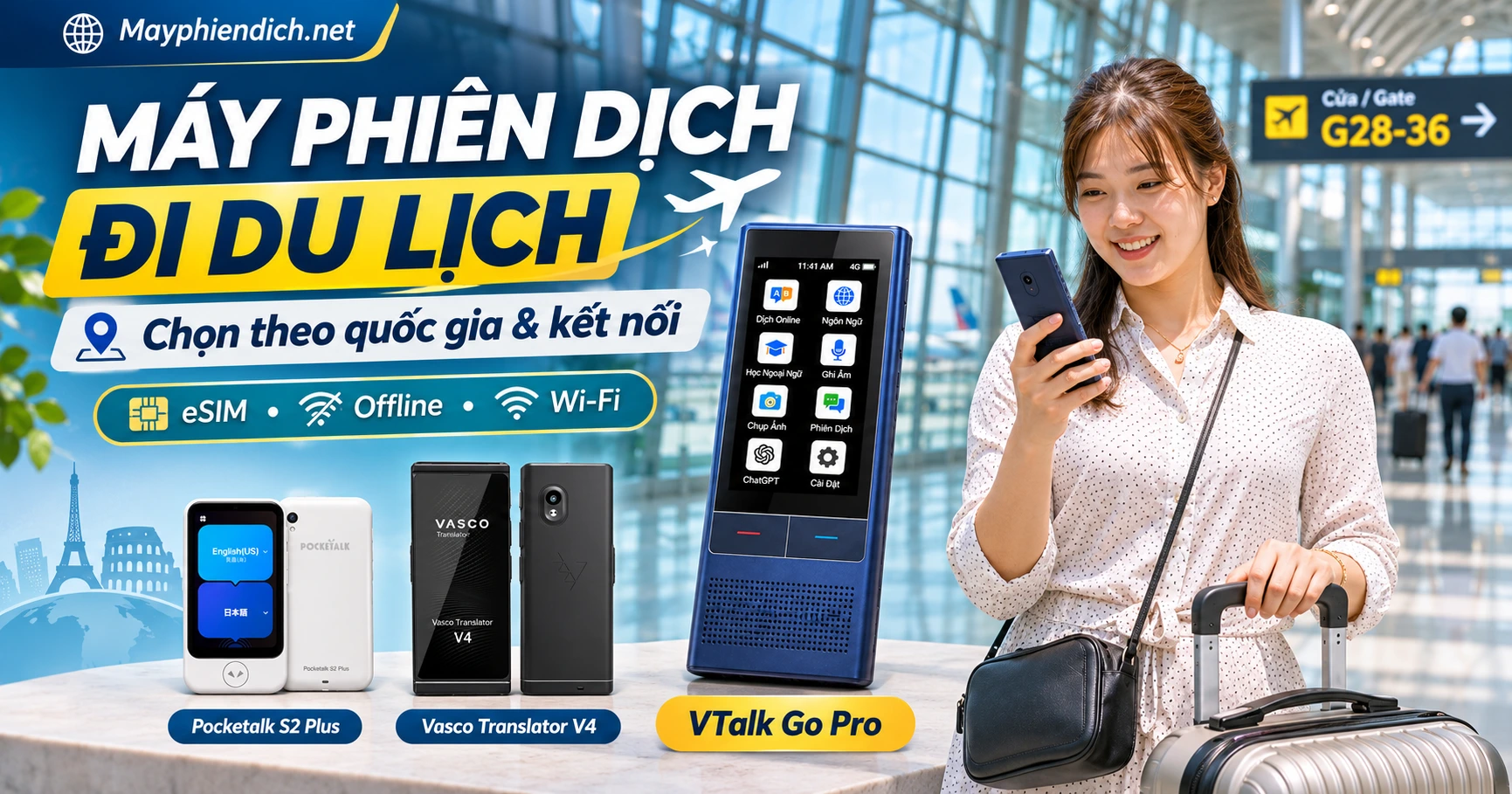

Key Summary: Máy Phiên Dịch Đi Du Lịch Nước Ngoài: Chọn Theo Quốc Gia Và Kết Nối Cập nhật: 09/11/2026 Máy phiên dịch đi du lịch nên được lựa chọn theo quốc gia, cặp ngôn ngữ và...
- Distribution Certification:Genuine devices by the systemMayphiendich.net(12-month 1-to-1 replacement warranty).
- Hands-on Experience:Customers can personally test the 138+ languages translation feature at226 Duong Lang (Hanoi) or137 Hoa Hung (District 10, HCMC)before purchasing.
- Technical Support:Lifetime software installation and offline translation data upgrades via Hotline:0386.001.001 - 0974.051.444.
Translation Devices for Overseas Travel: Choosing by Country and Connectivity
Translation devices for travel should be chosen based on the destination country, language pairs, and internet connectivity available.VTalk Go Pro is suitable when prioritizing a compact device; Pocketalk S2 Plus features a long-term eSIM; Vasco Translator V4 stands out with its large screen and global translation data.
However, not every trip requires buying a dedicated translation device. If you only occasionally ask for directions or order food, a smartphone with a translation app might already meet your needs.
Conversely, when traveling independently, moving across multiple countries, or frequently communicating with locals, a dedicated translator can make conversations much more convenient.
The crucial issue is not the number of advertised languages, but whether the device works reliably when you need it.
For instance, a device with an eSIM may translate well with a mobile network connection, but might not necessarily support Vietnamese–Japanese translation in offline mode. A machine with a camera also does not automatically recognize all types of fonts on menus or signs well.
This article will help you choose a translation device based on your destination, understand eSIM vs. offline capabilities, compare four device models, and prepare your device before heading abroad.
1. Which translation device should you choose for traveling abroad?
If you primarily communicate with strangers at airports, restaurants, or hotels, a handheld translation device with a built-in speaker and dedicated screen is a consideration worth making.
Frequent travelers crossing multiple countries might prioritize devices with built-in data connectivity. Conversely, if your itinerary lasts only a few days and you are already comfortable using smartphone apps, buying an additional device may not be necessary.
Quick Selection Table by Need
| Travel Need | Recommended Device | Reason |
|---|---|---|
| Short trips, seeking a simple device | VTalk Go | Handheld device, 3.1-inch screen, dedicated speaker |
| Independent travel, need a compact device | VTalk Go Pro | eSIM connection, voice and photo translation |
| Traveling to multiple countries for an extended period | Pocketalk S2 Plus | 5-year eSIM data plan in supported regions |
| Want a large screen that makes translations easy to read | Vasco Translator V4 | 5-inch screen, built-in international SIM |
| Traveling to places with unstable internet | Device supports the exact offline language pair | Can use pre-installed translation pairs |
| Only asking for directions or occasional lookups | Google Translate | Take advantage of an existing smartphone |
Three questions to answer before buying
1. Where are you going?
If traveling to Japan, check the Vietnamese–Japanese pair. If going to South Korea, you need Vietnamese–Korean. For itineraries covering multiple European countries, check the language list for all destinations.
2. How will you connect to the internet?
The device can use Wi-Fi, SIM, eSIM, or supported offline packages. Do not assume a device with mobile data will work in every country.
3. What type of content do you usually need to translate?
If you mainly converse, prioritize two-way voice translation. If you frequently read menus, signs, and instructions, the photo translation feature will be more useful.
Quick conclusion: Choose the right language pairs and connection methods first, then consider the brand, screen, and additional features.
2. Four travel translators worth considering
The four devices below represent different use cases. This is not an accuracy ranking, but recommendations based on published features and travel needs.
2.1. VTalk Go – Suitable for short trips and basic communication
VTalk Go is a handheld translator aimed at those who need a dedicated device for face-to-face conversations.
Notable specifications:
- 134 online languages as officially stated.
- 10 offline languages, including Vietnamese.
- 3.1-inch IPS screen.
- 3,000 mAh battery.
- Supports Wi-Fi and compatible mobile networks.
- Equipped with photo translation.
Travel advantages: The device integrates a speaker, microphone, and screen, convenient for asking for directions, communicating with hotel staff, or shopping.
Points to consider: Offline mode only works with compatible language pairs. The screen size is also smaller than 4–5 inch models.
Choose when: You want a handheld device for everyday conversations without requiring specialized features.
Not recommended when: You need a large screen to regularly read long texts or need an offline language pair that the device does not support.
2.2. VTalk Go Pro – Compact translator with eSIM
VTalk Go Pro suitable for frequent travelers who want multiple connectivity options when going abroad.
Notable specifications:
- 138 online languages.
- 19 offline languages, including Vietnamese.
- 2.8-inch IPS screen.
- 3,000 mAh battery.
- Supports Wi-Fi, mobile network, and eSIM as announced.
- Photo translation in over 56 languages.
Travel advantages: eSIM enables the device to use mobile data in compatible countries and networks, reducing dependence on public Wi-Fi.
On a self-guided trip, this is a noteworthy feature when you frequently need to ask for directions, order food, or communicate at service counters.
Points to consider: eSIM is an Internet connection method, not an offline translation feature. You need to check the data package duration and list of supported countries.
Additionally, although the device is advertised with offline Vietnamese, do not assume that all Vietnamese–Japanese, Vietnamese–Korean, or Vietnamese–Chinese pairs work offline.
Choose when: You want a compact device, need voice and photo translation, and also want mobile connectivity.
Not recommended when: You prioritize a large screen for reading content or need an offline language pair not supported by the device.
2.3. Pocketalk S2 Plus – Suitable for frequent multi-country travelers
Pocketalk S2 Plus is a handheld translator with a 3.9-inch touchscreen, photo translation camera, and built-in mobile connectivity.
Notable specifications:
- Supports over 92 translation languages.
- 3.9-inch touchscreen.
- Camera supports text translation in photos.
- eSIM with a 5-year data plan in over 170 supported countries and regions.
- Wi-Fi and cellular connectivity.
- Vietnamese is included in the voice translation list.
Travel advantages: The long-term data plan is useful for frequent travelers who do not want to prepare a separate SIM for each trip.
The photo translation camera assists in situations such as reading signs, menus, or service details in foreign languages.
Points to consider: Pocketalk S2 Plus does not have a standalone offline translation mode. The device requires an Internet connection to process translations.
The eSIM package is valid for 5 years and only works in supported countries and regions.
Choose when: You travel abroad frequently, prefer a relatively large screen, and prioritize the convenience of built-in cellular connectivity.
Not recommended when: Need translation in places with absolutely no Internet access.
View Pocketalk S2 Plus details
2.4. Vasco Translator V4 – Large screen, international translation connectivity
Vasco Translator V4 is designed for communication, photo translation, and international travel.
Notable specifications:
- Voice translation in 82 languages.
- Photo translation in 112 languages.
- Text translation in 107 languages.
- 5-inch touchscreen.
- 8 MP camera.
- Built-in international SIM.
- Lifetime free internet for translation in nearly 200 countries within the supported coverage.
Travel advantages: A 5-inch screen is convenient for reading content or showing translations to the person facing you.
The built-in international SIM reduces the need for public Wi-Fi connections in areas with compatible mobile networks.
This is an option worth considering for frequent multi-country travelers, especially when prioritizing a large screen and photo translation features.
Points to consider: Vasco V4 requires internet access to perform translation tasks. The device does not support standalone offline translation.
Vasco's free lifetime internet is provided specifically for translation functions; it does not equate to a regular data plan that can be used without limits for all applications.
Choose when: You need a large screen, frequently travel abroad, and want built-in mobile data for translation.
Not recommended when: Journeys frequently lead to places without any internet connection.
View details of Vasco Translator V4
Quick comparison of four devices
| Criteria | VTalk Go | VTalk Go Pro | Pocketalk S2 Plus | Vasco V4 |
|---|---|---|---|---|
| Device type | Handheld | Handheld | Handheld | Handheld |
| Screen | 3.1 inch | 2.8 inch | 3.9 inch | 5 inches |
| Online Vietnamese translation | Yes | Yes | Yes | Yes |
| Offline supports Vietnamese | Yes as claimed, limited pairs | Yes as claimed, limited pairs | No | No |
| Connectivity | Wi-Fi, mobile network | Wi-Fi, eSIM/mobile network | Wi-Fi, eSIM | Wi-Fi, international SIM |
| Photo translation | Yes | Yes | Yes | Yes |
| Key advantages | Basic communication | Compact, eSIM | Long-term data plan | Large screen, translation data |
If you are not sure which device to choose: First determine whether you need offline translation or not. If offline is not needed, compare the mobile data coverage and screen size based on your actual itinerary.
3. Choose a translator device by travel destination
The destination directly determines the language pairs needed, connectivity options, and features to prioritize.
| Country/region | Language pairs to check | Connectivity and devices to consider |
|---|---|---|
| Japan | Two-way Vietnamese–Japanese | VTalk Go Pro if prioritizing compactness; Pocketalk S2 Plus if photo translation and Internet are needed |
| South Korea | Two-way Vietnamese–Korean | Devices with voice translation, easy-to-read screen; check cellular network coverage in South Korea |
| China | Vietnamese–Mandarin Chinese | Prioritize devices with compatible connectivity in China; check photo translation for Simplified Chinese |
| Taiwan | Vietnamese–Chinese, Taiwanese accent and vocabulary | Prioritize suitable voice recognition and photo translation for Traditional Chinese |
| US, Canada, Australia | Two-way Vietnamese–English | Can use Google Translate if familiar; choose a dedicated device for frequent communication |
| Multiple European countries | Vietnamese–English and the local language of each country | Pocketalk S2 Plus or Vasco V4 if data coverage supports the entire itinerary |
3.1. Traveling to Japan – Prioritize Vietnamese–Japanese and image translation
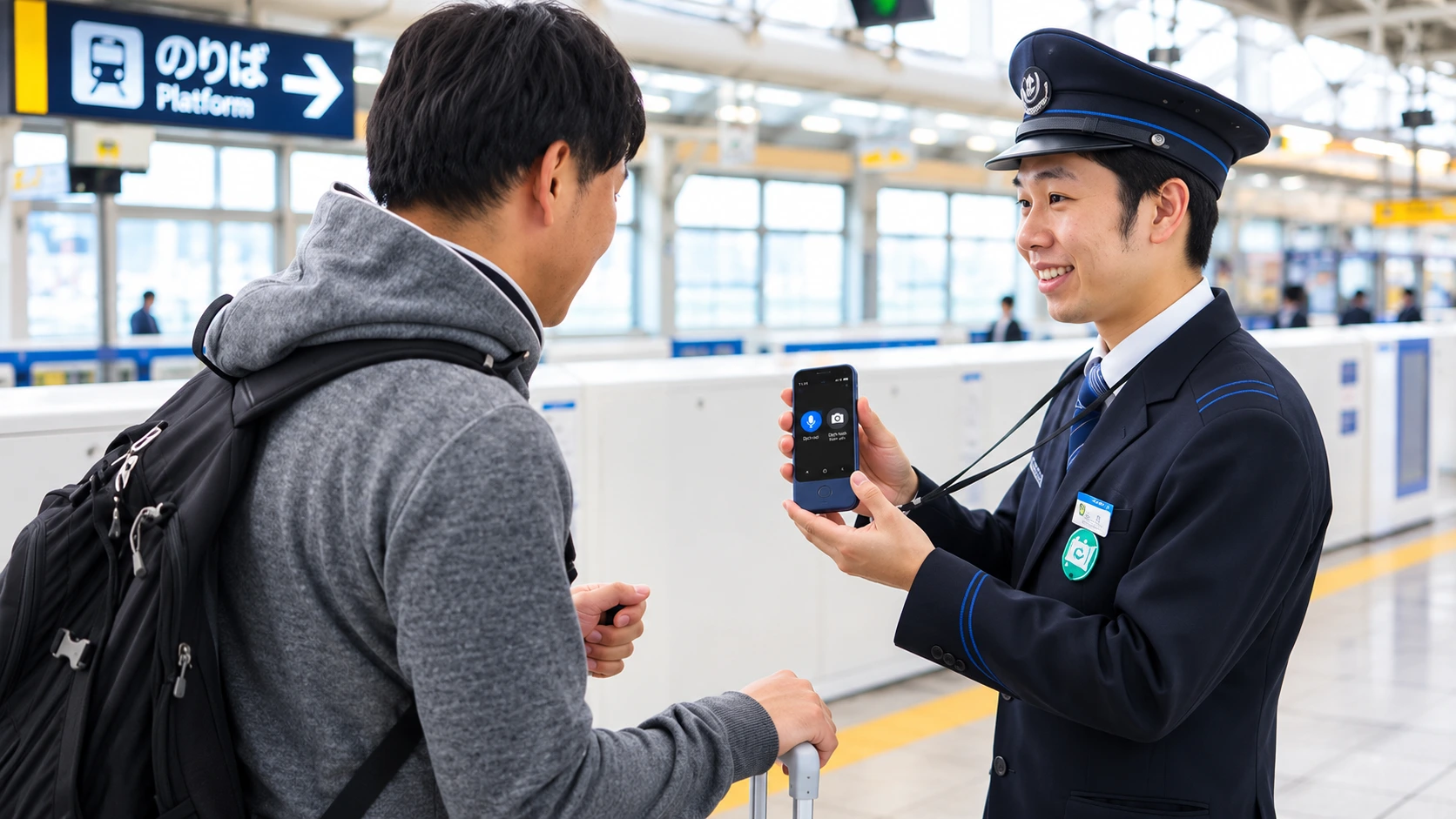
Self-guided travelers to Japan often encounter situations requiring asking for directions, buying train tickets, ordering food, and reading signs.
Therefore, two functions worth prioritizing are two-way Vietnamese–Japanese voice translation and Japanese text image translation.
If choosing VTalk Go Pro, check the exact Vietnamese–Japanese pair and the connection mode you will use.
If choosing Pocketalk S2 Plus, you can take advantage of the photo translation camera and cellular connectivity in compatible areas. However, the device requires an Internet connection to translate.
Tip: If your itinerary mainly involves trains, practice phrases containing station names, times, and train numbers in advance.
3.2. Traveling to Korea – Fast conversation translation and Korean text reading needed
In Korea, users often need to communicate when ordering food, shopping, or using public transportation.
A device with a screen and external speaker makes it convenient to show translations to store staff.
If you want to use it offline, specifically check the two-way Vietnamese–Korean pair. Do not just rely on the “Korean supported” info in the language list.
Regarding connectivity, make sure the device's SIM/eSIM supports mobile networks in Korea and is activated before the trip.
3.3. Traveling to China – Carefully check connectivity and Simplified Chinese
If traveling to China, prioritize devices that support Mandarin Chinese and have appropriate Internet connection methods at the destination.
You should also test the image translation feature with signs or menus using Simplified Chinese characters.
Crucial point: Do not assume that eSIM packages or apps commonly used in Vietnam will have the same connectivity conditions in China.
If you want to depend less on the Internet, choose a device confirmed to support the exact offline language pair you need.
3.4. Traveling to Taiwan – Check Traditional Chinese and Pronunciation
For Taiwan, users should check both Chinese voice translation and image recognition capabilities for Traditional Chinese characters.
Not every language list labeled “Chinese” fully describes the accent variants and writing styles.
If you frequently use public transportation, try asking questions about locations, schedules, and routes before you go.
3.5. Traveling to the US, Canada, and Australia – Is it necessary to buy a dedicated device?
If you mainly need Vietnamese–English communication, you have more options since this is a popular language pair on translation apps.
Those already accustomed to using Google Translate might not need to buy an additional device just for a short trip.
Conversely, if you want a device separate from your personal phone, VTalk Go or Go Pro are worth considering.
Frequent business travelers might also be interested in the connectivity capabilities of Pocketalk or Vasco.
3.6. Traveling to Multiple European Countries – Prioritize Cross-Border Connectivity
If your itinerary takes you through France, Germany, Italy, and Spain, you will not only need English but might also need the local language of each country.
In this case, the country coverage supported by the data plan is just as important as the number of translated languages.
Pocketalk S2 Plus includes a 5-year data plan in over 170 regions, while Vasco V4 reportedly provides translation data in nearly 200 countries.
Both are worth considering for frequent travelers, but cellular data or Wi-Fi is still required to translate.
4. Do Travel Translators Need the Internet? Distinguishing Between Wi-Fi, eSIM, and Offline
A translator with an eSIM does not mean an offline translator. These two technologies serve completely different purposes.
Wi-Fi Translation
The device connects to the network at hotels, airports, or anywhere with Wi-Fi.
This is a convenient option when staying in a fixed location, but you should not rely entirely on public Wi-Fi while on the move.
Some networks also require logging in, accepting terms, or navigating through a captive portal page.
Translating with SIM or eSIM
SIM and eSIM provide Internet access via mobile networks.
The advantage is that you can use the online translation feature in places without Wi-Fi, as long as the device has a compatible network connection.
However, before your trip, you need to check:
- Is the destination country within the supported coverage?
- Has the data plan been activated?
- Is there an expiration date or service limitation?
- Can the data plan be used for all functions, or is it only dedicated to translation?
Having an eSIM means having an additional way to access the Internet; it does not mean the device can still translate online when there is no signal.
Offline translation without Internet
Offline mode uses language data or processing models stored directly on the device to handle supported translation pairs.
However, it is necessary to distinguish between:
Devices with pre-installed offline packages: Can be used immediately with the supported language pairs according to the configuration.
Devices that require downloading offline packages: Users must connect to the Internet beforehand to download language data, update, or complete the setup.
For example, the Timekettle New T1 requires downloading offline language packages via the settings menu before use. The brand's current list of 44 offline pairs does not include Vietnamese.
This shows that offline capability does not mean all features are ready to use right out of the box.
Quick comparison table
| Method | Requires Internet when translating? | Preparation needed beforehand? |
|---|---|---|
| Wi-Fi | Yes | Connect to network |
| SIM/eSIM | Yes | Activate and check data plan |
| Built-in offline | No, for supported pairs | Select the correct language pair |
| Offline requiring package download | No, after successful download | Download/install package when connected to the Internet |
If you frequently travel to areas without reception, be sure to check the exact offline language pairs before purchasing.
Learn more: Offline translator with Vietnamese.
5. Five real-life situations and translation phrases to prepare
Travel translation devices are typically used in situations requiring short, clear communication and the ability to confirm information.
To illustrate how it works, below are five sample sentences with their corresponding translations. These are sample language sentences, not test results from a specific device.
| Situation and Vietnamese sentence | Sample translation to check |
|---|---|
| Asking for directions in Japan: Where is the nearest train station? | Japanese: 一番近い駅はどこですか? |
| Checking in in South Korea: What time can I check in? | Korean: 몇 시에 체크인할 수 있나요? |
| Ordering food in China: Does this dish have beef? | Chinese: 这道菜有牛肉吗? |
| Changing a ticket in an English-speaking country: I would like to change my ticket to the 3 PM train. | English: I’d like to change my ticket to the 3 p.m. train. |
| Asking for an address in Taiwan: Where is this hotel? | Traditional Chinese: 這家飯店在哪裡? |
How should these phrases be used?
First step: Select the correct language pair on the device.
Next: Speak the Vietnamese sentence and check the text recognized by the device.
Then: Play the translation for the other person to hear or show them the screen to read.
Finally: Test the reverse direction to ensure the device supports a complete conversation.
For important information such as amounts of money, time, station names, or hotel addresses, you should confirm by reading the text on the screen.
Which phrases require special caution?
When using a translation device to order food, details regarding food allergies need to be confirmed accurately.
Similarly, for medical instructions, legal documents, or safety-related information, automated translations should not be relied upon as the sole basis.
Prepare additional verified written information if the content could affect health or important decisions.
6. When should you use Google Translate instead of buying a translation device?
If you are only traveling for a few days, are already used to using a smartphone, and do not need to communicate frequently in a foreign language, Google Translate may be a more reasonable solution than buying a dedicated device.
This is an option worth considering before deciding on your budget.
You should use Google Translate when
- Mainly asking for directions, looking up information, or translating a few short sentences.
- Already familiar with using apps on your phone.
- Want to minimize carrying extra devices.
- Occasionally need to translate text or images.
- Can prepare offline data for languages supported by the app.
You should consider a dedicated translation device when
- Frequently communicating face-to-face with foreigners.
- Want a dedicated device for translation.
- Need a speaker and screen so the other person can follow along.
- Want to use the device's built-in connectivity features.
- Need offline translation mode for supported language pairs.
- Frequently travel internationally and want to reduce tasks on your personal phone.
Quick comparison
| Criteria | Google Translate | Dedicated translator |
|---|---|---|
| Device | Smartphone | Standalone device |
| Voice translation | Available on supported platforms | Varies by model |
| Photo translation | Yes | Varies by model |
| Offline | Depends on language and feature | Depends on language pair |
| Operation method | Via app | Dedicated buttons or screen |
| Data connection | Via phone | Can use Wi-Fi, SIM/eSIM |
| Best suited for | Occasional needs | Frequent, specialized communication |
A dedicated device is not automatically more accurate than Google Translate. The notable differences lie in design, connection methods, and ease of use.
If you are not sure whether you need an additional device, use the same set of phrases to compare Google Translate with a handheld translator before deciding.
7. 7-step checklist for preparing a translator before a trip
A feature-packed device won't be useful if you only realize at the airport that you haven't installed languages, activated data, or learned how to switch speaking turns.
Follow the seven steps below in order.
Step 1 – Identify the countries on your itinerary
List the countries you will visit and the languages commonly used at each stop.
If traveling to multiple countries, make sure the device supports all the necessary language pairs.
Step 2 – Test two-way language pairs
Try translating from Vietnamese to the target language and vice versa.
Do not just test a simple greeting. Use sentences that contain times, locations, or quantities.
Step 3 – Activate SIM/eSIM and check coverage
For devices with mobile data, confirm that the plan is active and that the destination country is on the supported list.
If using Wi-Fi, try connecting the device before traveling abroad.
Step 4 – Prepare offline data if needed
Verify the correct offline language pairs.
If the device requires downloading packages, complete this while you still have an Internet connection. Then turn off Wi-Fi and mobile data to test again.
Step 5 – Check the screen, speaker, and operation
Try starting a translation session, switching directions, reading text, and playing the translation audio.
If traveling with the elderly, let the actual user perform these actions themselves.
Step 6 – Prepare battery and charging accessories
Fully charge the device, and check for compatible cables and power adapters.
For a long journey, prepare a compatible power bank. Also check the airline's regulations regarding carrying batteries and power banks.
Step 7 – Save backup information in writing
Have ready:
- Hotel and accommodation addresses.
- Phone numbers of loved ones.
- Flight or train information.
- Names of destinations.
- Essential communication phrases in the local language.
This way, if the device runs out of battery or loses connection, you can still show important information to others.
Before departure: Try a complete two-way conversation in the exact connection mode you plan to use. This is a simple way to spot inconveniences before going abroad.
8. Common mistakes when buying a travel translator
Choosing a device just because it supports many languages
A device that supports over 100 online languages may not necessarily have the exact offline language pair you need.
Check the actual translation pairs rather than just comparing the total number of languages.
Confusing eSIM with offline translation
An eSIM provides internet access via mobile networks.
Without a connection, features that rely on online servers will still not work.
Failing to check data plan terms
An eSIM plan may have its own expiration period, country coverage, and terms of use.
Do not assume that every device with an eSIM comes with free lifetime data.
Waiting until arriving abroad to download language packs
Some devices require downloading offline data before use.
If not prepared in advance, you might not be able to use offline mode when needed.
Buying a device without determining whether photo translation is needed
If your itinerary frequently involves reading signs or menus, a camera for photo translation can be very useful.
Conversely, if you only need conversation translation, you don't necessarily have to prioritize every advanced feature.
Not testing local accents and proper nouns
Recognition accuracy may vary depending on local accents, speaking speed, and vocabulary.
Try sentences containing place names, train numbers, or departure times to assess suitability.
9. Frequently asked questions about travel translation devices
Which translator should I buy for international travel?
You should choose based on the country, language pair, and connectivity conditions. VTalk Go Pro is worth considering if you want a compact device with an eSIM. Pocketalk S2 Plus is suitable for those prioritizing long-term data; Vasco V4 has the advantage of a 5-inch screen and international translation connectivity.
Do travel translation devices need the Internet?
It depends on the device and mode. Online translation requires Wi-Fi or cellular data. Some devices support offline translation with prepared compatible language pairs. Having a SIM card or eSIM does not automatically mean offline translation.
Do offline translation devices require downloading languages in advance?
It depends on the model. Some devices come with pre-installed offline data, while others require downloading language packs via the Internet. After downloading, be sure to test the exact language pair with all connections turned off to verify usability.
Can translation devices with eSIM be used in every country?
No. Connectivity depends on the supported countries list, network carriers, and data policy of each device. Buyers need to check coverage according to their actual travel itinerary.
Which translator should I choose when traveling to Japan?
Priority should be given to devices supporting two-way Vietnamese–Japanese and Japanese photo translation. VTalk Go Pro is suitable if you want a compact device; Pocketalk S2 Plus is worth considering if you frequently translate menus, signs, and have Internet access. If offline translation is needed, make sure to verify the Vietnamese–Japanese pair specifically.
Are translation devices better than Google Translate?
No general conclusion can be drawn. Dedicated devices can be convenient thanks to their standalone speakers, screens, and connectivity, while Google Translate utilizes your existing smartphone. Translation quality should be evaluated based on the specific languages and usage contexts.
Conclusion: Choose a travel translator device based on your destination, not advertising
The most suitable travel translator is one that supports the right language pairs, connects properly at the destination, and offers convenient operation for the user.
If you mainly need basic communication for short trips, the VTalk Go is an option worth considering.
If you want a compact device with added eSIM connectivity, you might consider the VTalk Go Pro.
If you frequently travel to multiple countries and prioritize long-term data plans, the Pocketalk S2 Plus is worth exploring.
If you need a large screen along with global translation data, the Vasco Translator V4 is a suitable option to compare.
If you only need translation occasionally, try Google Translate before purchasing a dedicated device.
The most important thing is to test the device before your trip: right languages, right connectivity, and right communication context.
Consultation on choosing a travel translator at Mayphiendich.net
Mayphiendich.net provides a wide range of handheld translators, translation earbuds, and international communication devices.
You can choose products based on your destination, target languages, and preferred usage.
Hotline: 0386.001.001 – 0386.002.002
Q&A & Real Experiences at Mayphiendich.net
📍 Where to experience and purchase genuine translation devices and AI glasses in Hanoi & HCMC?
You can visit directly to test devices and experience translation capabilities in over 138 languages at the two genuine authorized showrooms ofMayphiendich.net:
- Hanoi Showroom: No. 226 Lang Street, Thinh Quang Ward, Dong Da District, Hanoi (Hotline:0386.001.001 - 0974.051.444).
- HCMC Showroom: No. 137 Hoa Hung Street, Ward 12, District 10, HCMC (Hotline:0386.002.002).
🛡️ What are the warranty policy and quality commitments?
100% of products distributed by Sarina Trading Investment Company Limited are brand new, genuine, and factory-sealed. Warranty policy:12 months, 1-to-1 exchange within 30 daysif technical defects occur, along with lifetime software update support.
✈️ Can the device translate when traveling abroad without WiFi or 4G?
High-end translation devices such as Atalk Plus and Travis Touch Go at Mayphiendich.net feature built-in offline data packages for 14 to 17 of the most popular languages, ensuring responsive and accurate translation even on airplanes or in areas without cellular coverage.