
 English
  Tiếng Việt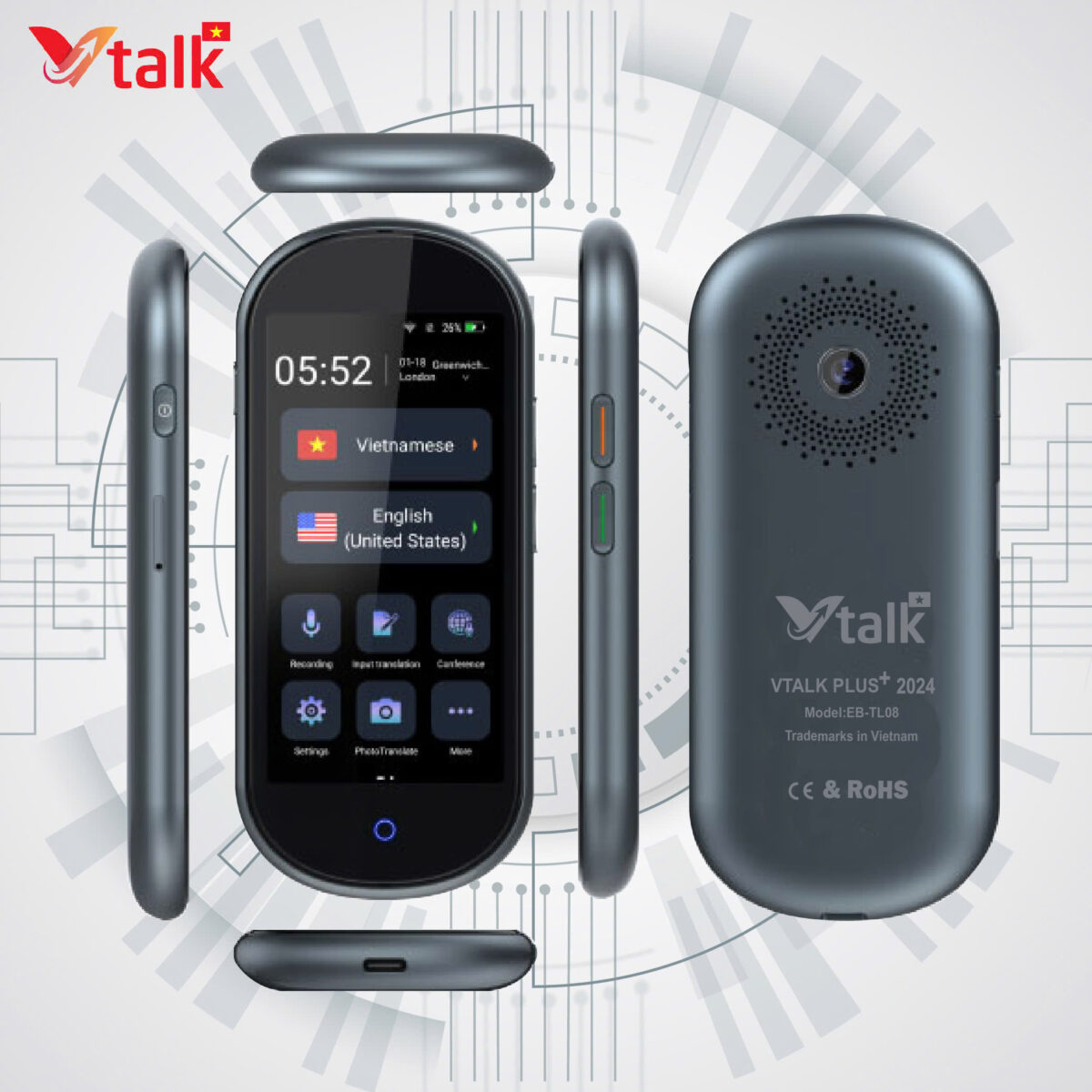
A translation device is a useful tool that makes communication between languages easier and faster. However, to make the most of its capabilities, users need to know how to install, update, and maintain the device correctly. This article will provide detailed instructions so you can use your translation device most effectively.
1. What is a Translation Device?
A translation device is a specialized electronic device that translates language from one language to another. These devices often integrate many advanced technologies such as voice recognition, text recognition via camera, and the use of contextual translation algorithms. A translation device helps users communicate easily with native speakers without having to learn too many vocabulary words or grammatical structures.
Translation devices are not only useful for travel but also excellent support tools for international businesses, students, or anyone who needs to communicate with speakers of other languages.
2. How to Install a Translation Device
Preparation Before Installation
Before installing your translation device, you need to prepare some necessary conditions:
- Fully charge the battery or connect to a power source: The translation device needs enough power so that the installation process is not interrupted.
- Wi-Fi connection (if necessary): Some translation devices require an Internet connection to download languages and install software.
- Download supporting software (if necessary): Some translation devices require downloading an application or supporting software from a phone or computer to optimize translation functions.
Language Setup
Once the translation device is powered on and started, you need to follow these steps:
- Select Interface Language: Select the main language for the translator. Typically, translators support multiple languages, including English, Vietnamese, Chinese, Japanese, and many others.
- Set Translation Language: Select the source and target languages you want the translator to support. Some devices support multiple languages, allowing you to easily switch between language pairs without difficulty.
- Download Language: If the translator requires downloading languages via an Internet connection, ensure a stable Wi-Fi connection and download the languages you need to use.
Connect to Wi-Fi (If Needed)
Many modern translators require a Wi-Fi connection to download language data and update necessary software. To connect to Wi-Fi:
- Open Wi-Fi settings on the translator.
- Select the appropriate Wi-Fi network.
- Enter the Wi-Fi password (if needed).
- Ensure a stable connection before proceeding.
After completing the above steps, your translator will be ready for use.
3. Update the Translator
Updating the translator's software and languages is an important part of ensuring the device operates stably and efficiently. Software updates will help the device receive bug fixes, improve translation capabilities, and add new features.
Why Are Updates Important?
- Improve Accuracy: Updates often improve translation algorithms, helping to increase accuracy and minimize translation errors.
- Bug Fixes: Updates help fix software bugs or technical glitches that may affect the machine's performance.
- Add New Features: New features, such as support for additional languages or better voice recognition, are frequently updated.
- Security: Updates help protect your device from security threats and software vulnerabilities.
Software Update
To update your translator device's software, follow these steps:
- Connect to the Internet: Ensure the translator device is connected to Wi-Fi or mobile data to download the update.
- Check for Updates: Access the settings of the translation device and find the “Software Update” or “Check for Updates” option.
- Download and Install : If a new update is available, the device will display a notification. Tap “Download” and “Install” to begin the update process.
- Restart Device: After the update is complete, the device will ask you to restart to finalize the installation.
Language Update
Some translator devices also offer a language update feature, which helps add or modify vocabulary sets and phrases to improve accuracy. To update languages:
- Go to the device's settings.
- Find the “Language Update” section.
- Select the language you want to update or download more.
- Ensure a stable Internet connection to download language data.
4. Maintaining Your Translator Device
Proper maintenance of your translator device will help it operate effectively and for a long time. Here are some tips on how to maintain your translator device.
Keep the Device Clean
The translator device needs to be kept clean to ensure components such as the screen, microphone, and speaker function normally. Especially if the device has voice recognition capabilities, make sure the microphone is free from dust or obstructions. Use a soft, dry cloth to clean the device, avoiding strong detergents.
Avoid Contact with Water
Water can damage the electronic components inside the device. Avoid exposing the translator device to water or humid environments. If the device gets wet, immediately turn it off and wipe it dry with a soft cloth, then place it in a dry area to dry completely.
Charge the Battery Correctly
To protect your translator device's battery, follow these charging guidelines:
- Use Original Charger: Always use the original charger and cable that came with the device to avoid damaging the battery.
- Do Not Overcharge: Avoid charging the device for too long after it's fully charged, as this can affect battery life.
- Charge When Battery is Below 20%: To extend battery life, charge when the battery capacity is below 20%.
Store the Device Properly
When not in use, store the translator device in a dry, cool place, away from direct sunlight. If a protective case is available, use it to shield the device from bumps or scratches.
Update Software Regularly
As mentioned above, regular software updates help the device operate more stably. Check for and download the latest updates to take advantage of new features and improve the device's performance.
5. Conclusion
A translation machine is a powerful tool that helps you communicate easily and effectively with speakers of other languages. To use a translation machine optimally, it is very important to install, update, and maintain the device correctly. By following the instructions above, you will ensure that the translation machine always operates stably, providing high-quality translation experiences in all situations.